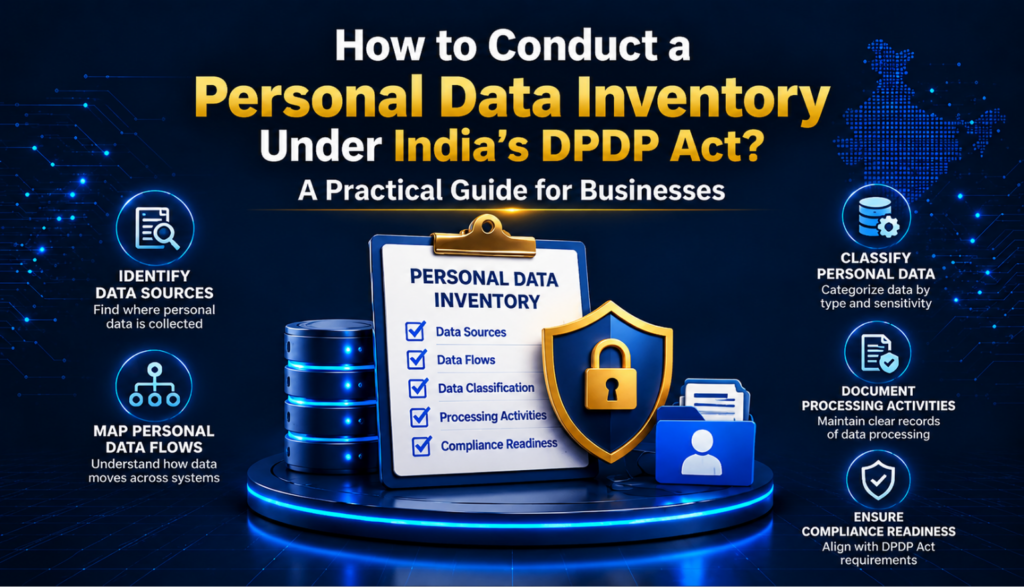
How to Conduct a Personal Data Inventory Under the DPDP Act: A Practical Guide for Businesses

- Loading...
A personal data inventory is one of the most important foundations of a Digital Personal Data Protection (DPDP) compliance programme.
Get a callback
Before an organisation can determine whether it is collecting too much personal data, using it for the right purpose, retaining it for an appropriate period, sharing it securely, or responding effectively to Data Principal requests, it needs to know what personal data it holds, where it comes from, why it is processed, where it goes, who can access it, and when it should be deleted.
The Digital Personal Data Protection Act, 2023 (DPDP Act) places significant responsibility on Data Fiduciaries for personal data processed by them or on their behalf by Data Processors. Section 8, for example, makes the Data Fiduciary responsible for compliance in relation to processing undertaken by it or by a Data Processor on its behalf and requires appropriate technical and organisational measures and reasonable security safeguards.
The notified Digital Personal Data Protection Rules, 2025 further establish requirements relating to security safeguards, retention, notices, rights mechanisms and other operational aspects of compliance.
A well-designed personal data inventory therefore gives an organisation the factual foundation needed to implement these obligations.
This guide explains how businesses can create, maintain and use a personal data inventory under the DPDP framework.
What Is a Personal Data Inventory?
A personal data inventory is a structured record of the personal data an organisation collects, receives, generates, stores, uses, shares or otherwise processes.
It answers questions such as:
- What personal data do we process?
- Whose data is it?
- Where did we obtain it?
- Why are we processing it?
- What legal basis or permitted ground applies?
- Which systems contain the data?
- Which departments can access it?
- Which Data Processors receive it?
- Is it transferred or disclosed to another organisation?
- How long is it retained?
- When should it be deleted?
- What security controls protect it?
- What rights can the Data Principal exercise in relation to it?
A personal data inventory should not be treated merely as an Excel spreadsheet listing databases.
A mature inventory should connect data → purpose → system → people → processing activity → processor → retention → security → rights → deletion.
This makes it useful for both compliance and operational governance.
Why Is a Personal Data Inventory Important Under the DPDP Act?
The DPDP Act does not simply require an organisation to create a document called a “personal data inventory.”
Instead, inventorying personal data is a practical compliance mechanism that helps a Data Fiduciary understand and demonstrate how it complies with its obligations.
Section 8 makes the Data Fiduciary responsible for processing carried out by it or on its behalf by a Data Processor. It also requires appropriate technical and organisational measures and reasonable security safeguards.
An organisation cannot effectively implement these requirements if it does not know what personal data it possesses or controls.
For example, consider a company that believes customer information exists only in its CRM.
A proper inventory may reveal that customer information is also present in:
- CRM software
- customer-support tickets
- email inboxes
- WhatsApp or messaging systems
- spreadsheets
- marketing platforms
- payment systems
- cloud storage
- mobile applications
- analytics platforms
- call recordings
- physical forms
- backup systems
- vendor platforms
- employee laptops
Without mapping these locations, the organisation may not be able to reliably respond to a correction or erasure request, investigate a personal data breach, apply retention controls, or determine which processors need to act.
Personal Data Inventory vs Data Mapping
The terms personal data inventory and data mapping are often used interchangeably, but they can describe different levels of analysis.
Personal Data Inventory
An inventory primarily answers:
What personal data do we have and where is it located?
Data Mapping
Data mapping goes further and answers:
How does personal data move through the organisation and its ecosystem?
For example:
Website → CRM → Sales Team → Payment Gateway → Customer Support → Analytics Platform → Cloud Storage → Backup
A comprehensive DPDP compliance programme should ideally use both.
The inventory establishes the data universe.
The data map establishes the data flows.
Step 1: Define the Scope of Your Inventory
Do not begin by opening an Excel spreadsheet and asking every department to list its databases.
First define the scope.
Your inventory should generally cover personal data processed through:
- Websites
- Mobile applications
- Customer portals
- CRM systems
- HR systems
- Recruitment platforms
- Payroll systems
- Finance systems
- Customer-support platforms
- Marketing platforms
- Email systems
- Cloud storage
- SaaS applications
- Call-centre systems
- Physical records
- CCTV systems, where applicable
- Visitor-management systems
- Authentication systems
- Analytics platforms
- Cookies and tracking technologies
- Payment systems
- Vendor and partner platforms
- Backups and archives
- Testing and development environments
Also consider informal processing.
Employees may maintain personal data in:
- Excel files
- shared drives
- email attachments
- downloaded reports
- local folders
- messaging applications
- presentations
- manually maintained registers
These are often missed during formal data discovery exercises.
Step 2: Identify Your Data Principals
The next step is to identify whose personal data your organisation processes.
Common categories include:
Customers
Examples:
- Name
- Mobile number
- Email address
- Address
- Account information
- Transaction information
- Customer identifiers
Employees
Examples:
- Name
- Contact information
- Employee ID
- Employment information
- Salary information
- Bank details
- Attendance information
Job Applicants
Examples:
- Name
- Contact details
- CV/resume
- Educational qualifications
- Employment history
- Interview information
Vendors and Business Contacts
Examples:
- Contact information
- Designation
- Business email
- Communication records
Website and Application Users
Examples:
- Account identifiers
- Login information
- Device information
- Usage information
- IP-related information, where applicable
Children
Where an organisation processes personal data relating to children, the inventory should clearly identify the relevant processing activities because the DPDP Act contains specific provisions relating to children’s personal data.
Step 3: Identify Every Category of Personal Data
Do not simply create a column called “personal data.”
Break the data down into meaningful categories.
For example:
| Data Category | Examples |
|---|---|
| Identity Data | Name, age, date of birth |
| Contact Data | Email, telephone, address |
| Account Data | Customer ID, account number |
| Employment Data | Employee ID, designation, employment history |
| Financial Data | Bank details, transaction information |
| Authentication Data | Login credentials, authentication information |
| Communication Data | Emails, support conversations |
| Location-related Data | Location information where processed |
| Device/Technical Data | Device identifiers and related information |
| Preference Data | Communication or service preferences |
| Application Data | Information submitted through forms |
The objective is not to create unnecessary classifications.
The objective is to understand exactly what personal data the organisation processes.
Step 4: Record the Source of the Personal Data
For each category of personal data, record where it came from.
Possible sources include:
- Data Principal directly
- Website form
- Mobile application
- Customer service interaction
- Employee
- Recruitment agency
- Business partner
- Vendor
- Publicly available source
- Another Data Fiduciary
- Group company
- Government or regulatory source
This information becomes particularly useful when reviewing notices, transparency obligations, data-sharing arrangements and data quality.
Step 5: Identify the Purpose of Processing
Purpose is one of the most important fields in a personal data inventory.
For every processing activity, ask:
Why does the organisation need this personal data?
Avoid vague descriptions such as:
- Business purposes
- Administration
- Operations
- Customer management
Instead, document specific purposes.
For example:
Weak purpose
Customer management
Better purpose
To create and administer customer accounts and provide requested services.
Other examples could include:
- Processing customer orders
- Delivering products
- Providing customer support
- Processing payments
- Managing employee payroll
- Recruiting employees
- Preventing fraud
- Communicating service updates
- Managing subscriptions
- Providing requested benefits or services
A clear purpose makes it easier to determine whether the amount of data collected is actually necessary.
Step 6: Map Personal Data to the Relevant Processing Activity
A useful inventory should not merely list data fields.
It should connect each data element to a processing activity.
For example:
| Processing Activity | Personal Data | Purpose |
|---|---|---|
| Customer registration | Name, email, mobile | Create customer account |
| Order processing | Name, address, contact details | Fulfil order |
| Customer support | Name, account ID, communication records | Resolve support requests |
| Marketing communication | Email, mobile, preferences | Send permitted communications |
| Recruitment | CV, contact details, employment history | Evaluate job applications |
| Payroll | Employee details, bank information | Process salary |
This structure helps expose unnecessary or duplicated processing.
Step 7: Identify the Systems Where Personal Data Is Stored
For each processing activity, identify every relevant system.
For example:
Customer registration
- Website
- CRM
- Customer database
- Authentication platform
- Analytics platform
- Backup environment
Do not stop at the primary application.
Personal data can be replicated automatically across multiple systems.
Your inventory should therefore consider:
- Production databases
- Application databases
- Data warehouses
- Data lakes
- SaaS platforms
- Cloud storage
- Backup systems
- Logs
- Testing environments
- Development environments
- Reporting systems
Step 8: Identify Who Has Access
The inventory should identify the categories of people or teams that can access the data.
Examples:
- Customer support
- Sales
- Marketing
- Finance
- HR
- IT administrators
- Security teams
- Legal/compliance teams
- External service providers
Where practical, distinguish between:
- Read access
- Create access
- Modify access
- Delete access
- Administrative access
- Export access
This is especially useful when reviewing access controls and security safeguards.
The DPDP Rules, 2025 specify security safeguards including access controls, logging and monitoring, encryption/obfuscation/masking or virtual tokens, backups and related measures.
Step 9: Identify Data Processors and Third Parties
One of the most frequently overlooked components of a data inventory is the organisation’s vendor ecosystem.
Section 8 of the DPDP Act makes a Data Fiduciary responsible for processing undertaken on its behalf by a Data Processor.
Therefore, identify vendors that process personal data.
Examples include:
- Cloud service providers
- Payroll providers
- CRM providers
- Email service providers
- Customer-support platforms
- Payment processors
- Analytics providers
- Recruitment platforms
- Background verification providers
- IT service providers
- Marketing platforms
- Document-management providers
For each processor, record:
- Vendor name
- Service provided
- Personal data processed
- Purpose
- Systems involved
- Data location
- Contract status
- Security controls
- Sub-processors, where relevant
- Retention/deletion arrangements
Step 10: Map Data Flows
Once the systems and processors are identified, create a data-flow map.
For example:
Customer
↓
Website
↓
CRM
↓
Customer Support Platform
↓
Cloud Infrastructure
↓
Analytics Provider
↓
Backup Environment
The map should show:
- Collection
- Internal use
- Sharing
- Disclosure
- Transfers
- Storage
- Archiving
- Deletion
This makes hidden processing easier to identify.
Step 11: Document the Applicable Processing Ground
The inventory should include the applicable legal basis or permitted ground for processing.
Under the DPDP Act, processing may occur on the basis of consent or for certain specified legitimate uses set out in the Act.
Therefore, include a field such as:
Processing ground
Possible entries may include:
- Consent
- Specified legitimate use under the Act
- Other applicable statutory basis
Do not simply mark every activity as “consent.”
For example, processing employee information for certain employment-related purposes may fall within a specified legitimate use under the Act. The Act expressly includes certain purposes connected with employment and safeguarding the employer from loss or liability within its specified legitimate uses.
The precise basis should be determined activity by activity.
Step 12: Connect the Inventory to the Notice
Your personal data inventory should feed directly into your privacy notices.
The organisation should be able to answer:
- What data is collected?
- Why is it collected?
- What services or purposes does it enable?
- How can the Data Principal exercise applicable rights?
- How can the Data Principal raise a grievance?
The notified DPDP Rules, 2025 provide detailed requirements for notices, including independent understandability, clear and plain language, itemised personal data, specified purposes and mechanisms for withdrawing consent and exercising rights.
This creates an important compliance relationship:
Data Inventory → Processing Register → Notice → Consent/Processing Mechanism
If the inventory changes but the notice does not, transparency documentation can quickly become outdated.
Step 13: Determine the Retention Period
Every inventory should contain a retention field.
Ask:
How long do we actually need this personal data?
Possible retention categories include:
- Until account closure
- Contractual period plus defined additional period
- Employment duration plus applicable retention period
- Until purpose is completed
- Statutory retention period
- Litigation/legal hold period
- Defined archival period
Avoid entries such as:
Indefinitely
unless there is a documented and defensible reason.
The DPDP Act requires a Data Fiduciary, unless retention is necessary under applicable law, to erase personal data when the Data Principal withdraws consent or when the specified purpose is no longer being served.
The 2025 Rules also contain specific provisions concerning retention and circumstances in which a specified purpose is deemed no longer to be served for certain classes of Data Fiduciaries and purposes.
Step 14: Identify the Deletion Mechanism
Retention and deletion should be documented together.
For every data category, identify:
- Retention period
- Trigger for deletion
- System responsible
- Deletion method
- Processor deletion process
- Backup treatment
- Exceptions such as legal holds
For example:
| Data | Retention Trigger | Deletion Mechanism |
|---|---|---|
| Customer account data | Account closure + defined period | Automated deletion workflow |
| Applicant data | Recruitment process completion + defined period | HR system deletion |
| Support records | Defined retention period | Ticket-system purge |
| Marketing data | Withdrawal/unsubscribe or defined period | Suppression/deletion workflow |
A data inventory that identifies where information exists but cannot explain how it is deleted is incomplete.
Step 15: Record Security Controls
The inventory should include the major safeguards protecting each processing activity.
Examples:
- Encryption
- Access controls
- Multi-factor authentication
- Role-based access
- Logging
- Monitoring
- Data masking
- Tokenisation
- Backups
- Vulnerability management
- Endpoint security
- Network security
- Data loss prevention
- Incident response procedures
The 2025 Rules specify minimum security safeguards including measures such as encryption, obfuscation or masking, access controls, logs and monitoring, backups, and appropriate technical and organisational measures.
The inventory does not need to replace the organisation’s security documentation. Instead, it should provide enough information to connect each processing activity with its relevant controls.
Step 16: Include Data Quality
Data quality should be part of the inventory.
Ask:
- Is the data accurate?
- Is it complete?
- Is it regularly updated?
- Is duplicate information being maintained?
- Is stale information being deleted?
- Which system is the source of truth?
This is particularly important because Section 8 of the DPDP Act requires a Data Fiduciary to ensure completeness, accuracy and consistency where personal data is likely to be used to make a decision affecting a Data Principal or disclosed to another Data Fiduciary.
Step 17: Identify High-Risk or Sensitive Processing
The inventory should flag processing activities that deserve enhanced review.
Examples may include:
- Children’s personal data
- Large-scale customer databases
- Financial information
- Authentication information
- Employee information
- Data used for significant decisions
- Extensive profiling
- Large-scale monitoring
- High-volume data processing
- Data shared with numerous processors
- Processing involving multiple jurisdictions
This does not mean that every such activity is automatically unlawful or subject to the same legal requirements.
The purpose of the flag is to trigger additional compliance, security or risk review where appropriate.
Step 18: Identify Cross-Border Data Flows
If personal data is accessible by or disclosed to organisations outside India, record that in the inventory.
Capture:
- Data category
- Recipient
- Country/location
- Purpose
- Processor or other recipient status
- Contractual arrangements
- Security safeguards
- Applicable restrictions
Cross-border processing should be reviewed against the DPDP Act, Rules and any applicable government requirements.
Do not assume that simply using an international cloud provider automatically means that all processing is prohibited—or that it automatically complies. The actual processing arrangement needs to be assessed.
Step 19: Build a Central Personal Data Inventory
A practical inventory can initially be maintained in a structured spreadsheet.
A useful template could contain the following fields:
| Field | What to Record |
|---|---|
| Processing ID | Unique identifier |
| Business Function | HR, sales, finance, marketing, etc. |
| Processing Activity | Specific processing operation |
| Data Principal | Customer, employee, applicant, etc. |
| Personal Data | Specific data elements |
| Source | Where data is obtained |
| Purpose | Specific purpose |
| Processing Ground | Consent/specifed legitimate use etc. |
| System | Application/database |
| Storage Location | Cloud/on-premise/other |
| Internal Users | Teams with access |
| Data Processor | Relevant vendor |
| Third Parties | Other recipients |
| Data Flow | Movement of data |
| Retention Period | Defined period |
| Deletion Trigger | Event triggering deletion |
| Deletion Method | Manual/automated/etc. |
| Security Controls | Key safeguards |
| Data Quality | Accuracy/update controls |
| Cross-Border | Yes/No + details |
| Rights Handling | Relevant request process |
| Owner | Business/system owner |
| Review Date | Next review |
| Risk Flag | Low/medium/high or organisation-specific classification |
This can later be integrated into a GRC, privacy-management or data-governance platform.
A Sample Personal Data Inventory
Consider an online retailer.
Its inventory could look like this:
| Processing | Data | Purpose | System | Processor | Retention |
|---|---|---|---|---|---|
| Account creation | Name, email, mobile | Create account | Customer platform | Cloud provider | Defined account lifecycle |
| Order fulfilment | Name, address, phone | Deliver order | Order system | Logistics provider | Defined business/legal period |
| Payment | Transaction information | Process payment | Payment platform | Payment provider | Applicable period |
| Customer support | Name, account ID, communications | Resolve complaints | Support platform | SaaS provider | Defined support-record period |
| Marketing | Email/mobile, preferences | Communications | Marketing platform | Email provider | Until withdrawal or defined period |
| Fraud prevention | Transaction/account information | Prevent misuse | Fraud system | Security provider | Defined risk-management period |
The exact retention periods should be determined by the organisation based on the purpose, applicable law and relevant DPDP requirements.
Step 20: Validate the Inventory With Business Teams
A privacy team should not create the entire inventory in isolation.
Conduct workshops with:
- HR
- IT
- Information security
- Legal
- Finance
- Marketing
- Sales
- Customer support
- Procurement
- Product
- Engineering
- Compliance
Ask each team:
What personal data do you collect?
Why do you use it?
Where is it stored?
Who receives it?
Which vendors process it?
How long do you keep it?
How do you delete it?
What happens when someone asks for correction or erasure?
These interviews frequently reveal processing activities that were missing from the original inventory.
Step 21: Reconcile the Inventory With Technology
Business interviews alone are not enough.
Technology discovery should be used to validate the inventory.
Useful sources include:
- Database inventories
- Cloud asset inventories
- SaaS application lists
- Identity-management systems
- Data-loss-prevention tools
- Data discovery tools
- API inventories
- Backup systems
- Log-management platforms
- Procurement records
- Vendor registers
For mature organisations, automated discovery can help identify personal data that business teams did not know existed.
Step 22: Find the Gaps
Once the inventory is complete, perform a gap assessment.
Look for:
Unknown data
Personal data exists but nobody knows why.
Unknown owners
A system contains personal data but has no accountable business owner.
Unknown processors
A vendor receives personal data but is missing from the processor register.
Missing retention periods
The organisation cannot explain how long information is retained.
Excessive retention
Information remains stored after its purpose has ended.
Excessive access
Too many employees or vendors can access personal data.
Unmapped copies
Data exists in spreadsheets, exports, backups or local folders outside controlled systems.
Notice mismatch
Actual processing does not match what the notice communicates.
Deletion gaps
The primary database is deleted but downstream systems retain the data indefinitely.
Rights-response gaps
The organisation cannot locate all copies of personal data when a Data Principal exercises a right.
These findings can become the organisation’s DPDP remediation roadmap.
Personal Data Inventory and Data Principal Rights
An effective inventory is particularly important for handling Data Principal requests.
Suppose a customer asks an organisation to correct or erase personal data.
The organisation may need to identify:
- CRM records
- customer account information
- support tickets
- marketing databases
- order systems
- relevant processor systems
- other connected records
If these systems are not mapped, the organisation may respond only to the record it can immediately find.
That is why a personal data inventory should be connected to the organisation’s rights-request procedure.
Personal Data Inventory and Personal Data Breaches
An inventory also plays an important role in incident response.
When a breach occurs, the organisation needs to understand:
- What data was affected?
- Whose data was affected?
- Which systems were involved?
- Which processors were involved?
- What categories of personal data were exposed?
- How many Data Principals may be affected?
- What actions can reduce the risk?
Without an accurate data inventory, incident investigation can take longer and the organisation may have difficulty identifying the scope of an incident.
The DPDP Act requires Data Fiduciaries to take reasonable security safeguards and contains breach-intimation obligations. The notified Rules also specify security and breach-related requirements.
How Often Should a Personal Data Inventory Be Updated?
A personal data inventory should be treated as a living compliance record, not a one-time project.
Review it:
- At least periodically
- When launching a new product
- When collecting a new category of personal data
- When changing a privacy notice
- When onboarding a new processor
- When changing vendors
- When implementing a new SaaS application
- During mergers or acquisitions
- When changing retention practices
- After a significant data breach
- When introducing AI or analytics processing
- When changing data flows
- When implementing new customer or employee processes
A change-management process should ideally require privacy review before material new processing begins.
Who Should Own the Personal Data Inventory?
Ownership should be clearly assigned.
A practical model is:
Privacy/Compliance Team
Responsible for methodology, governance and oversight.
Business Owners
Responsible for describing processing activities and purposes.
IT/Data Teams
Responsible for systems, storage and technical data flows.
Information Security
Responsible for security controls and risk information.
Procurement/Vendor Management
Responsible for processor and third-party information.
Legal
Responsible for legal and contractual review where appropriate.
Senior Management
Responsible for governance and accountability.
The objective is not to create another document owned exclusively by the privacy team.
The inventory should become a shared organisational source of truth.
Common Mistakes in Personal Data Inventory Exercises
1. Treating the inventory as an IT project
Personal data processing is a business-wide activity.
2. Listing only databases
Spreadsheets, emails, documents, SaaS platforms and backups can also contain personal data.
3. Recording broad purposes
“Business operations” is generally too vague to be useful.
4. Ignoring vendors
Third-party processing is a major part of many organisations’ data ecosystem.
5. Forgetting backups
Deleted production data may still exist elsewhere.
6. Ignoring test environments
Production data is sometimes copied into development or testing environments.
7. Not assigning owners
Every processing activity should have an accountable owner.
8. Not documenting deletion
Retention without a deletion mechanism creates an incomplete lifecycle.
9. Creating the inventory once
Business processes and technology continuously change.
10. Failing to connect inventory and notices
Actual processing should remain aligned with the organisation’s transparency information.
Personal Data Inventory Audit Checklist
Use the following checklist to assess whether your inventory is sufficiently mature:
-
All major business functions have been reviewed
-
Data Principal categories are documented
-
Personal data categories are identified
-
Data sources are documented
-
Processing purposes are specific
-
Processing grounds are documented
-
Systems are mapped
-
Data flows are documented
-
Internal access is identified
-
Data Processors are identified
-
Third-party disclosures are documented
-
Cross-border flows are identified
-
Retention periods are documented
-
Deletion triggers are documented
-
Deletion mechanisms are documented
-
Security safeguards are mapped
-
Data quality controls are documented
-
Children’s data processing is identified where applicable
-
High-risk processing is flagged
-
Data Principal rights processes are connected to the inventory
-
Privacy notices are reconciled against actual processing
-
Business owners are assigned
-
Review dates are established
-
Changes trigger inventory updates
A Practical 30-Day Personal Data Inventory Plan
For organisations starting from scratch, the exercise can be divided into four phases.
Week 1: Discover
Identify:
- Business functions
- Systems
- Applications
- Vendors
- Data categories
- Data Principal categories
Week 2: Map
Document:
- Purposes
- Sources
- Data flows
- Processors
- Third parties
- Storage locations
Week 3: Assess
Review:
- Retention
- Deletion
- Security
- Access
- Data quality
- Notices
- Rights handling
- Cross-border processing
Week 4: Remediate
Prioritise:
- Unknown processing
- Excessive data collection
- Excessive retention
- Uncontrolled copies
- Missing processor arrangements
- Security gaps
- Notice mismatches
- Deletion gaps
At the end of the exercise, the organisation should have both an inventory and a prioritised remediation plan.
Personal Data Inventory: A Simple Governance Model
A mature DPDP compliance programme can use the following lifecycle:
Discover
↓
Inventory
↓
Map
↓
Assess
↓
Remediate
↓
Monitor
↓
Review
↓
Update
This prevents the inventory from becoming a static compliance spreadsheet.
How the Personal Data Inventory Fits Into a DPDP Compliance Programme
A personal data inventory should form the foundation of several other compliance activities.
Personal Data Inventory
Identifies what data exists.
↓
Data Flow Mapping
Shows where data moves.
↓
Processing Register
Documents processing activities and accountability.
↓
Privacy Notice
Explains relevant processing to Data Principals.
↓
Consent/Processing Mechanisms
Operationalises applicable processing grounds.
↓
Retention & Deletion
Controls the end of the data lifecycle.
↓
Data Principal Rights
Supports correction, erasure, grievance and other applicable rights processes.
↓
Security & Breach Management
Protects personal data and supports incident response.
This is why personal data inventory is often one of the first major workstreams in a DPDP implementation programme.
Final Takeaway
A personal data inventory is much more than a list of customer names, databases or applications.
It is a structured understanding of the organisation’s personal-data lifecycle:
What data do we have?
Whose data is it?
Why do we process it?
Where did it come from?
Where is it stored?
Who can access it?
Who do we share it with?
How long do we retain it?
How do we delete it?
How do we protect it?
How do we respond when a Data Principal exercises a right?
For organisations preparing for DPDP compliance, answering these questions systematically provides the foundation for stronger privacy governance.
The DPDP Act makes the Data Fiduciary accountable for processing carried out by it and by Data Processors on its behalf, while requiring appropriate organisational and technical measures and reasonable security safeguards. The notified DPDP Rules, 2025 add further operational requirements around security, retention, notices and other aspects of the framework.
The most effective approach is therefore to treat the personal data inventory as a living governance system, continuously updated as the organisation’s products, systems, vendors and processing activities change.
Frequently Asked Questions
Is a personal data inventory expressly required by the DPDP Act?
The DPDP Act does not simply prescribe a standalone document called a “personal data inventory.” However, maintaining an accurate inventory is a strong compliance practice because a Data Fiduciary needs to understand its processing activities, systems, processors, retention and safeguards to operationalise its obligations effectively.
Is a personal data inventory the same as a Record of Processing Activities (ROPA) under GDPR?
They are related but not necessarily identical.
A GDPR ROPA is a specific statutory record under Article 30 of the GDPR for organisations to which that provision applies. A personal data inventory is a broader practical exercise for identifying personal data, systems, processing activities and data flows.
An organisation can use its inventory as the foundation for a more comprehensive processing register.
Should small businesses create a personal data inventory?
Yes. The size of the organisation does not eliminate the practical need to understand its personal data.
A small business can begin with a simple spreadsheet covering:
- Personal data
- Purpose
- Source
- System
- Processor
- Retention
- Security
- Owner
The inventory can become more sophisticated as the organisation grows.
Should employee data be included?
Yes. Where an organisation processes personal data relating to employees, applicants or other individuals, those processing activities should be considered in the inventory.
The exact legal treatment of particular employment-related processing should be assessed against the DPDP Act and other applicable laws.
Should backup data be included?
Yes. Backups should be identified because they may contain copies of personal data even after records are removed from production systems.
The organisation should document how backup retention and deletion are handled.
How often should the inventory be reviewed?
There is no universal “one review per year” rule that makes an inventory compliant by itself. The appropriate review frequency depends on the organisation’s processing environment.
At minimum, significant changes such as new products, new systems, new processors, new data categories or material changes in processing should trigger an inventory review.
Can a spreadsheet be used for a DPDP personal data inventory?
Yes. A spreadsheet can be an effective starting point for a small or medium-sized organisation.
Larger organisations may eventually need dedicated privacy-management, data-governance or GRC technology, particularly where there are thousands of systems, numerous processors or complex data flows.
What should be done after completing the inventory?
The next step should be a gap assessment.
Compare the actual processing identified in the inventory against:
- DPDP requirements
- Privacy notices
- Processing grounds
- Retention requirements
- Security controls
- Processor contracts
- Rights-request procedures
- Deletion mechanisms
- Internal policies
The resulting gaps can then be prioritised into a DPDP remediation roadmap.
Important Legal Note
This article is intended for general informational and compliance-planning purposes and should not be treated as legal advice. The Digital Personal Data Protection Act, 2023 and the Digital Personal Data Protection Rules, 2025 have staggered commencement provisions. The Rules were notified in November 2025, but different provisions commence at different times. Organisations should verify the latest official commencement notifications and applicable laws before relying on a particular provision for a live compliance decision.
Official references: Digital Personal Data Protection Act, 2023 — MeitY · Digital Personal Data Protection Rules, 2025 — MeitY